

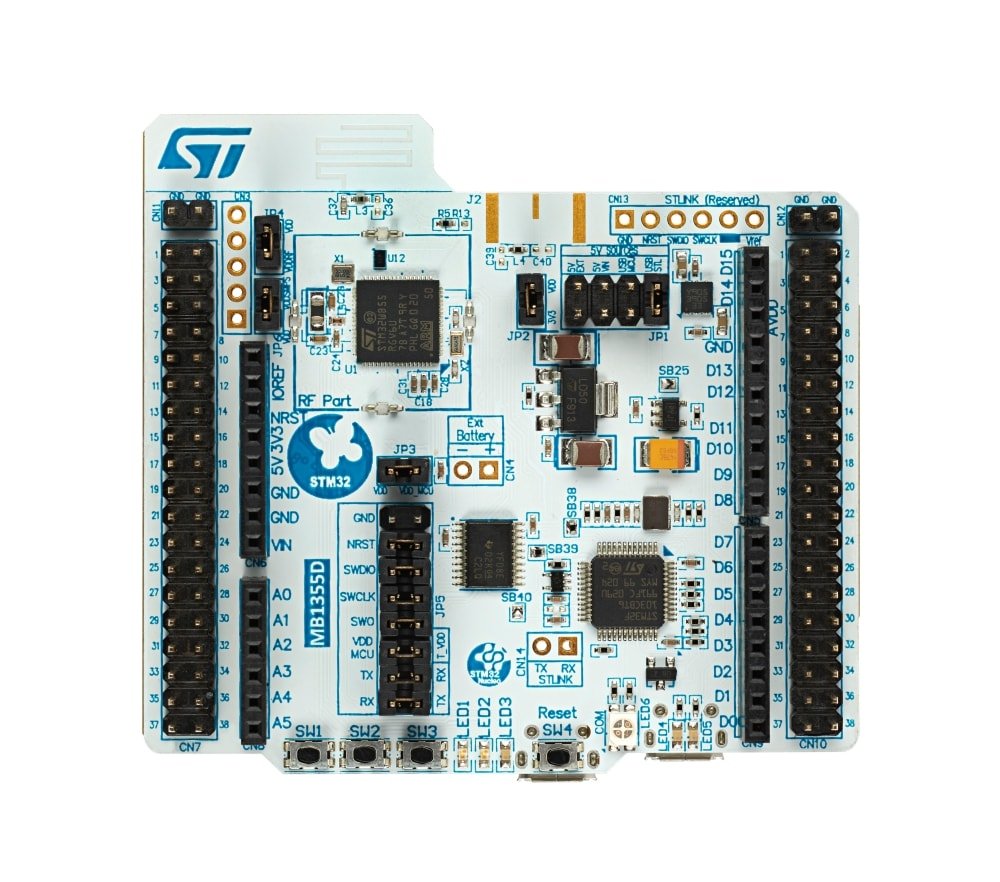
Working with AI is always fun. In this guide we will be using Tensorflow's tflite library to run on NUCLEO-WB55RG development board. The Tflite doesn't support the STM32 chipset in this Nucleo board out of the box. In this blog I will describe how I ported the tflite to run on this Nucleo board. The procedure can be adapted to another chipset if required with very few tweeks. The NUCLEO-WB55RG is chosen because of its large memory footprint, M4 Arm Cortex performance with FPU support.
Some of the key features of TFLite include:
- Small footprint: TFLite is optimized for devices with limited resources, and its binary size is smaller compared to the full TensorFlow library.
- Hardware acceleration: TFLite supports a wide range of hardware accelerators, including GPUs, DSPs, and NPUs (Neural Processing Units), to improve the performance of machine learning models on devices.
- Interpreter: TFLite uses an interpreter to execute machine learning models, which allows for flexibility in terms of the devices and platforms it can run on.
- Cross-platform compatibility: TFLite can run on a variety of platforms, including Android, iOS, Linux, and microcontrollers, making it easy to deploy machine learning models on a wide range of devices.
- Model conversion: TFLite provides tools for converting pre-trained TensorFlow models to TFLite models, which can be used on mobile and embedded devices.
- Support for a wide range of models: TFLite supports a wide range of machine learning models, including image classification, object detection, and text-to-speech, among others.
The NUCLEO-WB55RG is a development board for the STM32WB55 microcontroller from STMicroelectronics. It is part of the STM32 Nucleo development board series, which provides a flexible and cost-effective way for developers to evaluate and prototype with the STM32WB55 microcontroller.
Some of the key features of the NUCLEO-WB55RG include:
- On-board STM32WB55 microcontroller: The development board is equipped with a STM32WB55 microcontroller, which has a Cortex-M4 main core and a Cortex-M0+ co-processor, and built-in support for Bluetooth 5 and 802.15.4 wireless standards.
- Expansion connectors: The board has a variety of expansion connectors, including a Arduino Uno V3 connector and a morpho connector, which allows for easy connection to various external devices and sensors.
- On-board debugging: The NUCLEO-WB55RG has an on-board ST-LINK/V2-1 debugger, which provides a convenient way to debug and program the microcontroller.
- Power options: The board can be powered through the USB connector or an external source, and has a voltage regulator that allows for input voltage between 7V to 12V.
- Software support: The NUCLEO-WB55RG is supported by the STM32CubeWB software package, which provides a wide range of software examples, libraries, and tools for developing with the STM32WB55 microcontroller.
- Compatibility: The board is also compatible with a wide range of development environments, including IAR, Keil, and GCC.
- Physical form factor: The board has a compact form factor of 69.9 x 53.3mm, it is easy to handle and take it along with you in your development journey.
Porting TensorFlow Lite (TFLite) to STM32 microcontrollers involves several steps, including:
- Building TFLite for the ARM Cortex-M architecture used by STM32 microcontrollers.
- Porting TFLite's dependencies, such as the flatbuffers library, to the STM32 platform.
- Adapting TFLite's C++ code to run on the STM32 platform, including any necessary changes to memory management and threading.
- Testing the ported TFLite on STM32 microcontroller
- It's important to note that TensorFlow Lite is not a fully self-contained library, it still relies on a number of other libraries to run, such as the FlatBuffers library, and may also require additional libraries or tools depending on the specific STM32 microcontroller and development environment being used.

Comments
Comments functionality coming soon...
Leave a Comment